Are You Trading Without Testing?
You might just be getting lucky.
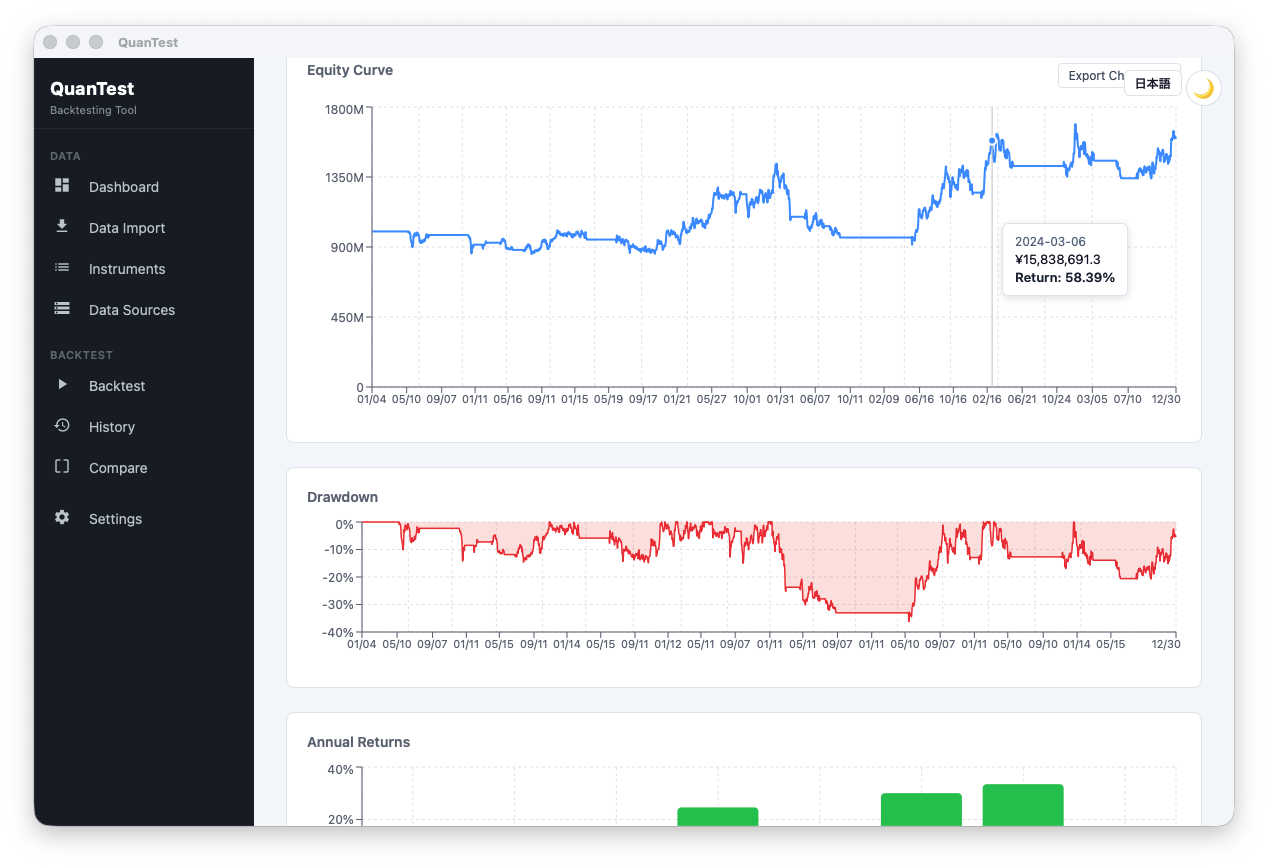
Backtest 10 sample strategies against 10 years of historical data. Import CSV from your brokerage and see how they performed — Moving Average, RSI, MACD, and more.
- Price data stays on your device
- Just install and start
- Free plan available
Results like this in seconds.
Built for Investors Like You
- You have winning trades, but no consistency
- You keep repeating the same mistakes
- You lack confidence when entering trades
- You trade without ever testing your strategy
- You cannot explain why you are winning
Trading Without Testing? How Solid Is Your Edge?
A strategy you believe in may behave differently when tested against historical data
Many individual investors trade without ever backtesting their strategy
- Trading on moving average cross "feels"
- Stop-loss and take-profit levels change every trade
- No idea if the strategy worked historically
- Win rate and max drawdown confirmed over 10 years of data
- Define rules after reviewing how they behaved on historical data
- Decisions driven by evidence, not emotion
What Backtesting Reveals
* Sample screen. Actual backtest results are shown within the app.
Sample Company — Moving Average Cross (25/75 day)
Period: 2018–2025 (8 years)
* Simulated results based on historical price data. Past performance does not indicate or guarantee future results.
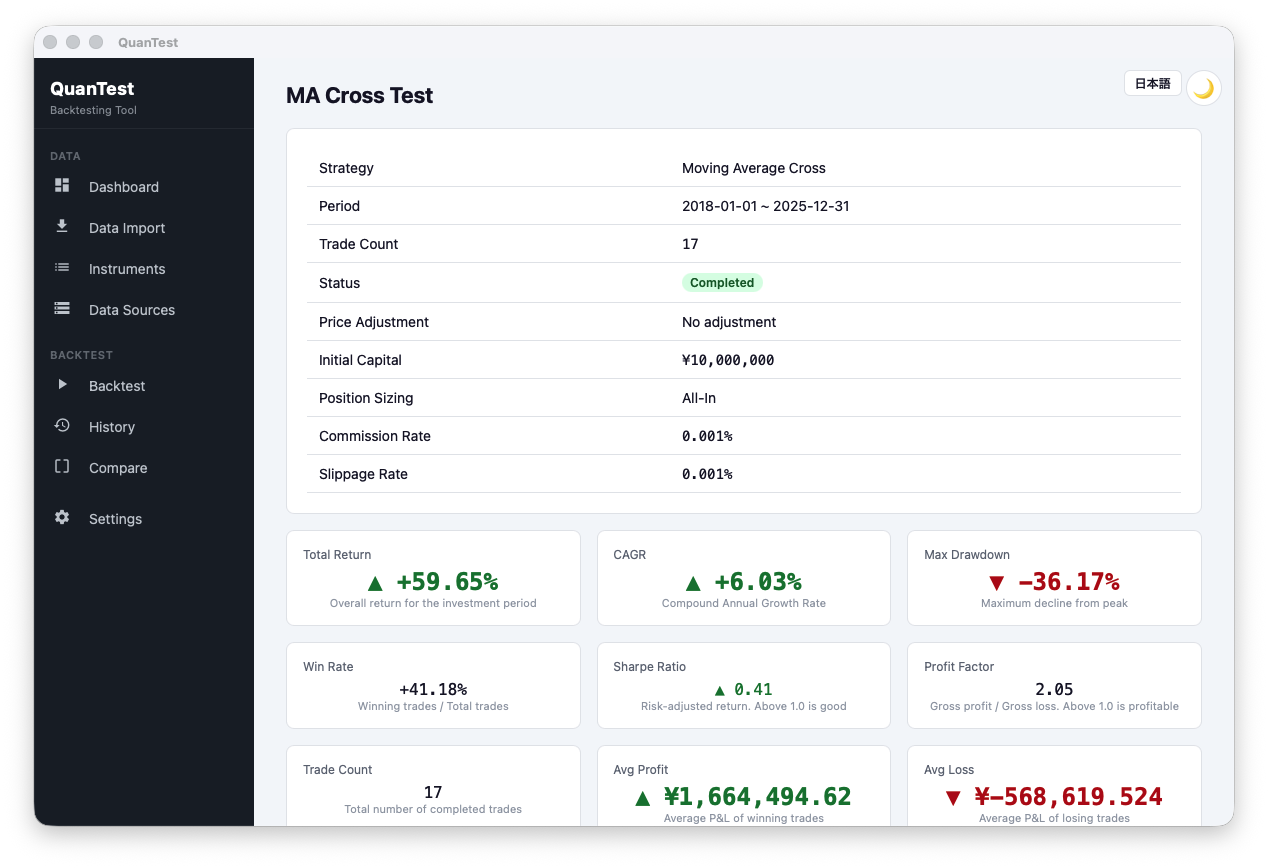
→ Use this kind of data as one input when you decide whether to adopt a strategy
Back Your Decisions with Data, Not Just Intuition
Analyze with TradingView. Verify with QuanTest.
TradingView is an analysis tool. QuanTest is a verification tool. Different jobs.
Analysis alone is not enough as a basis for decisions
Don't stop at "it looks good"
Back it up with historical data
How QuanTest Compares
| QuanTest | TradingView | AmiBroker | |
|---|---|---|---|
| Ease of Setup | ◎ | ○ | △ |
| Backtesting | ◎ | △ | ◎ |
| Ease of Configuration | ◎ | ○ | × |
| Works Offline | ◎ | × | ◎ |
| Local Brokerage CSV | ◎ | △ | △ |
| Learning Curve | Low | Medium | High |
| Price | $32 (one-time) | Subscription | One-time |
Why Choose QuanTest
Local-First
All price data and strategy settings are processed on your device — never sent to external servers.
Privacy-Focused
The only cloud traffic is license verification, settings sync, and — if you opt in — error reports via Sentry. Price data is never transmitted.
Cross-Platform
Available on macOS and Windows. The same experience on both.
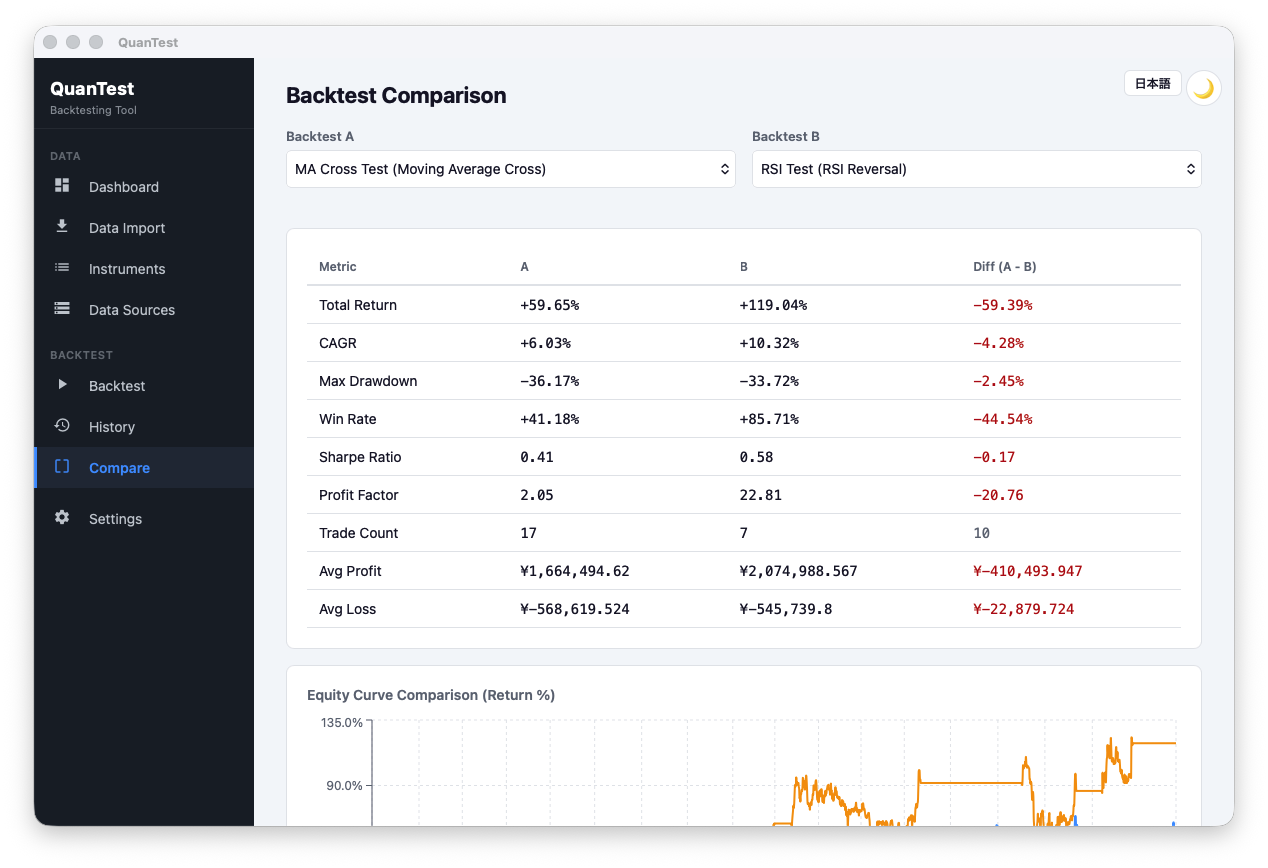
Strategy Comparison (Pro)
Place two backtest results side by side. Compare strategies in numbers and decide with confidence.
Supports Major Brokerage CSV Formats
Custom CSV column mapping also supported
10 Sample Strategy Templates
Start serious backtesting with the Free plan. Each strategy is a template for testing, not a recommendation or investment advice.
- Moving Average Cross
- RSI Contrarian
- Breakout
- Bollinger Bands
- MACD Cross
- Stochastics
- Golden/Death Cross
- ATR Trailing Stop
- Donchian Channel
- RCI Signal
Combine Multiple Strategies
Use up to 3 strategies simultaneously. Choose from All Match, Majority, or Any combination modes.
Simple Pricing
One loss > $32
A single bad judgment can cost far more than $32
For about $32, you get a verification environment you can use as input before you trade.
| Try it out Free $0 Free forever | For serious use Pro $32 One-time purchase · perpetual license | |
|---|---|---|
| Saved Backtests | Up to 3 | Unlimited |
| Available Strategies | 3 strategies | 10 strategies |
| Performance Metrics | 5 basic | All metrics |
| Benchmark Comparison | – | ✓ |
QuanTest is an analysis and verification tool for supporting your own decision-making, not investment advice. Backtest results are simulations based on historical data and do not guarantee future performance. You are solely responsible for your investment decisions.
Frequently Asked Questions
Where is my data stored?
Is it a one-time purchase or subscription?
Which brokerage CSV formats are supported?
Does it work on both macOS and Windows?
Can I upgrade from Free to Pro later?
Your First Step Toward Evidence-Based Trading
Investors who test their strategies tend to act on their decisions with more conviction. Start for free.
Test Your Strategy (Free)(Just install — no setup needed)