Quick Start
What is QuanTest?
QuanTest is a desktop backtesting tool for individual stock investors. It lets you test investment strategies against historical price data so you can verify whether a strategy actually works — in numbers.
Key features:
- Local-First — All price data is processed on your device. Nothing is sent to external servers.
- No coding required — Select a strategy and set parameters through the GUI.
- Supports major CSV formats — Import directly from SBI Securities, Rakuten Securities, Yahoo! JAPAN Finance, and more.
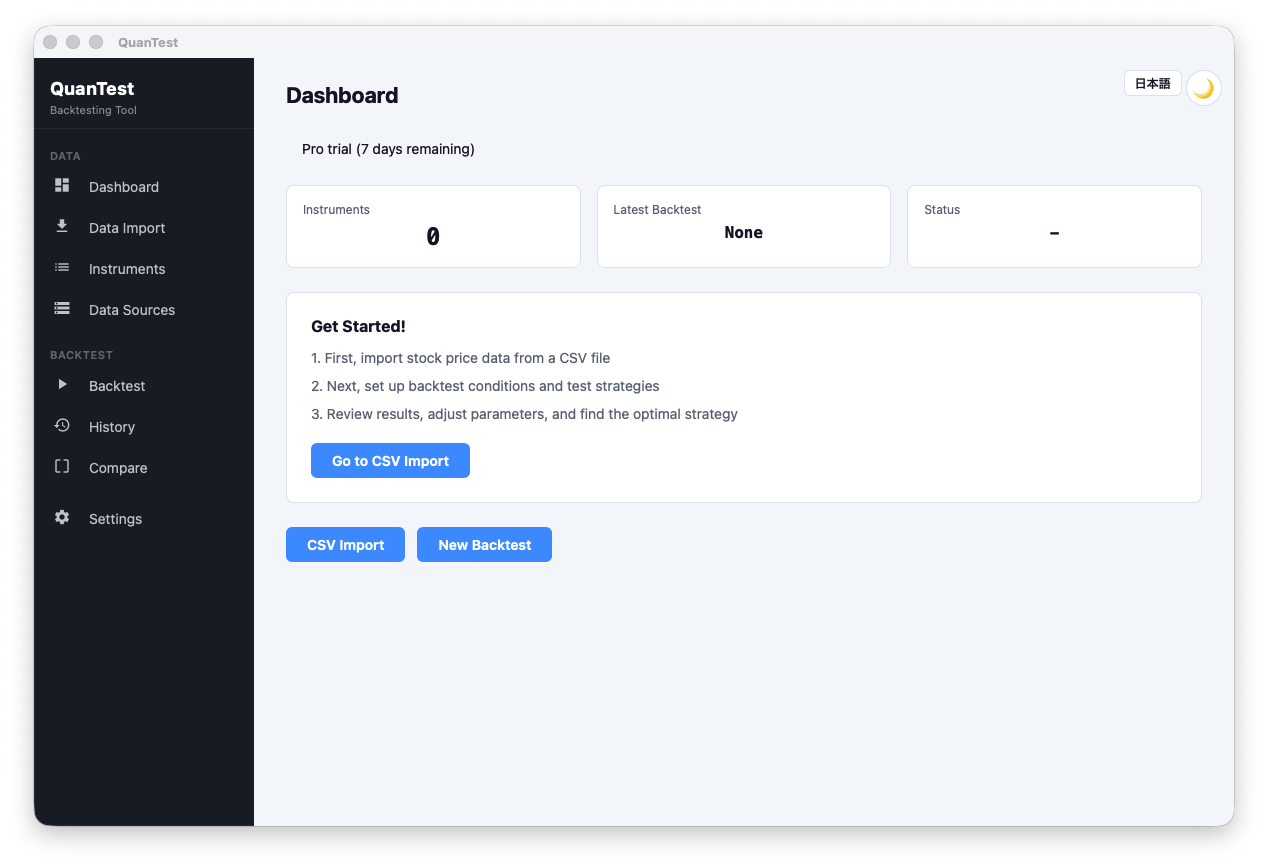
Dashboard
Installation
Download the installer for your OS from the Download page and run it.
- macOS (Apple Silicon) — Mac with M1 or later
- macOS (Intel) — Mac with Intel CPU
- Windows — Windows 10 / 11
First Launch
When you open the app for the first time, the setup wizard appears.
- Agree to Terms of Service — Read and check the agreement.
- Confirm data storage location — Your price data storage path is shown (no change needed).
- Go to Dashboard — Setup complete. You’ll be taken to the home screen.
3 Steps to Your First Backtest
Step 1: Import a CSV
Click “Data Import” in the left menu and drag & drop a stock price CSV downloaded from your brokerage. See Importing CSV Data for details.
Step 2: Configure a Backtest
Click “Backtest” in the left menu and configure the instrument, date range, strategy, and capital settings. See Setting Up and Running a Backtest for details.
Step 3: Review the Results
After the backtest completes, the results screen opens automatically. Evaluate your strategy using metrics like win rate, max drawdown, and CAGR. See Reading Your Results for details.